The My AirPaz dashboard — what every button actually does
Reschedules, refunds, invoices, passenger fixes — the My AirPaz panel hides a lot of utility behind small links. Here's a plain-English walk-through, with the traps we've hit so you don't have to.
You don't have to be logged in to manage an AirPaz booking, which surprises a lot of first-time users. There are two doors:
Guest mode (My Booking): on the AirPaz homepage, click "My Booking" in the top-right. Enter your booking code (the 6-character PNR sent in your confirmation email) and the email used for the booking. This gets you to the same dashboard without an account.
Logged-in mode: if you created an account at booking, log in, then click your avatar and choose "My Bookings". This shows all your historical bookings in one place — useful if you book often or for the family.
Pro tip: create an account on the email used for the booking. Bookings made as guest can be retroactively linked to an account by logging in with the same email. You don't lose the history.
The five things you'll actually do here
1. Reschedule (date / time change)
Click the booking, choose "Reschedule". You'll see the airline's fare rules: most LCC tickets allow rescheduling with a fee (usually USD 25–60) plus the fare difference. Some "non-changeable" tickets simply can't be moved — you'd have to refund (if eligible) and rebook.
The reschedule flow on My AirPaz queries the airline's live inventory. If your preferred new date is sold out, you'll only see fares that are available. Plan B: hold off the reschedule, watch fares for a few days, then submit.
2. Refund
Refund eligibility depends entirely on the fare rules of your specific ticket. AirPaz cannot grant refunds beyond what the airline allows. Click "Refund" on the booking, choose the reason, attach supporting documentation if relevant (medical certificate, government travel advisory, schedule change notice), and submit.
Typical refund timelines:
Voluntary cancellation, refundable fare: 2–6 weeks to receive funds back to original payment method.
Airline schedule change > 4 hours: mandatory full refund per most jurisdictions. 2–6 weeks.
Force majeure (typhoon, government advisory): case-by-case, sometimes credit voucher instead of cash refund.
Non-refundable fare: airport taxes only (typically USD 5–25 per passenger).
3. Update passenger details
Passport renewed? Name spelt wrong? Most airlines allow free correction within a few hours of booking. After that, fees apply — and for international flights, some airlines treat any name change as a full re-issue (full fare). Submit via My AirPaz with a scan of the passport. Same-letter fixes (Ahmed → Ahmad) are usually free; full name changes are usually not.
Don't fly with a mismatch. If your boarding pass name doesn't match your passport, you can be denied boarding. Fix it before check-in even if it costs a fee.
4. Add baggage / seat / meal
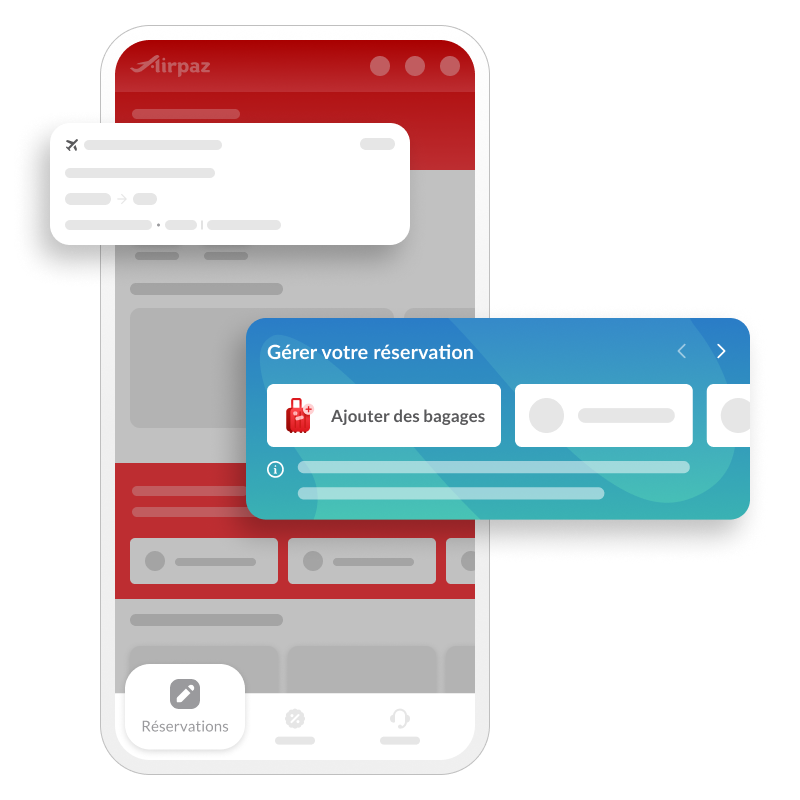
Pre-purchased baggage on My AirPaz is dramatically cheaper than at-airport baggage. We've seen 40–60% differences on AirAsia and Lion Air. Add bags up to 4 hours before departure (cutoff varies by airline).
Seat selection on LCCs is sometimes free at online check-in 24–48 hours before departure. Paying for "preferred seat" on My AirPaz is rarely worth it unless you're tall — wait for free check-in.
5. Request a tax invoice / receipt
For business expense reimbursement, click "Invoice" on the booking. Provide the company name, tax ID (NPWP / SSM / GST number depending on country), and address. Processing takes 3–5 working days. The invoice comes via email as a PDF.
The "session expired" trap and how to dodge it
The My AirPaz dashboard has a 20-minute idle timeout. Long forms — like uploading documents for a refund — sometimes hit this timeout before you submit. The fix:
Prepare documents (photos, PDFs) before opening the form.
If you're filling out a long reason field, copy the text to a notes app every 5 minutes.
If the session does expire, your typed text is usually gone. Refresh, re-login, and start fresh.
Case numbers — keep them all
Every refund, reschedule, or escalation generates a case number (format: AP-XXXXXX). Save these. If your refund doesn't arrive in 6 weeks and you escalate via WhatsApp, the first thing support will ask is the case number. Without it, you're starting over.
Pre-purchasing baggage online via My AirPaz is much cheaper than at the airport. Source: airpaz.com.
What My AirPaz can't do (talk to the airline)
Some actions sit outside the OTA's authority and need direct airline contact:
Frequent-flyer miles registration after the fact. Add miles via the airline's loyalty portal with your boarding pass.
Special meals (kosher, Hindu, lactose-free). Some airlines allow this via My AirPaz; some don't. Calling the airline directly is safer for dietary needs.
Wheelchair assistance and accessibility. Best to confirm both via My AirPaz and the airline directly.
Pet travel. Always book via the airline's dedicated pet desk, not the OTA.
Unaccompanied minor service. Airline-direct only.
Mobile app vs web for My AirPaz
The mobile app's "My Bookings" tab is functional and usually fine for status checks, baggage add-ons and reschedules. For refunds — which involve uploading supporting documents — the web is more reliable. The app's document upload occasionally fails on slow networks.
Common error messages decoded
Error
What it means
Fix
"Booking not found"
Wrong PNR or wrong email
Re-check confirmation email; PNR is 6 characters, no leading zeros
"Action unavailable"
Within airline cutoff window
Contact airline directly; most disable changes 2–4 hrs before departure
"Payment failed"
Card declined or 3DS timeout
Try alternate card or e-wallet; clear browser cache
"Refund pending review"
Awaiting airline approval
Wait 14 working days before escalating
Escalation path
My AirPaz form (always start here — case number generated).
Email support@airpaz.com (slower but creates a paper trail).
Twitter/X public mention of @airpaz (sometimes accelerates stuck cases).
Credit card chargeback (last resort, only if AirPaz fails to deliver service).
FAQ
I lost my booking confirmation email. How do I find my PNR?
Check spam folder first. If still missing, log in to your AirPaz account (if you have one), or contact support with your name, payment date and amount.
Can I add a passenger to an existing booking?
No. Each booking is locked to its passenger manifest. Create a new booking for the additional passenger.
Does My AirPaz support multi-currency receipts?
Yes — the invoice reflects the currency you paid in. Some companies require a local-currency receipt; provide the FX rate from your bank statement.
My refund hasn't arrived after 8 weeks — what now?
Escalate via WhatsApp with the case number. If still stuck, your credit card issuer can investigate via chargeback if you paid by card.
Can I split a booking into two if travelling on different dates now?
No. Cancel one passenger (incurs fees) and create a new booking, or contact the airline directly to request a "split PNR".
Manage your booking in 60 seconds
Open My AirPaz with your PNR and email — no login required for most actions.